The same kit can look amazing or flat depending on the photo you send. The good news is that you can test any photo in our free photo preview before you order. Here is what to look for.
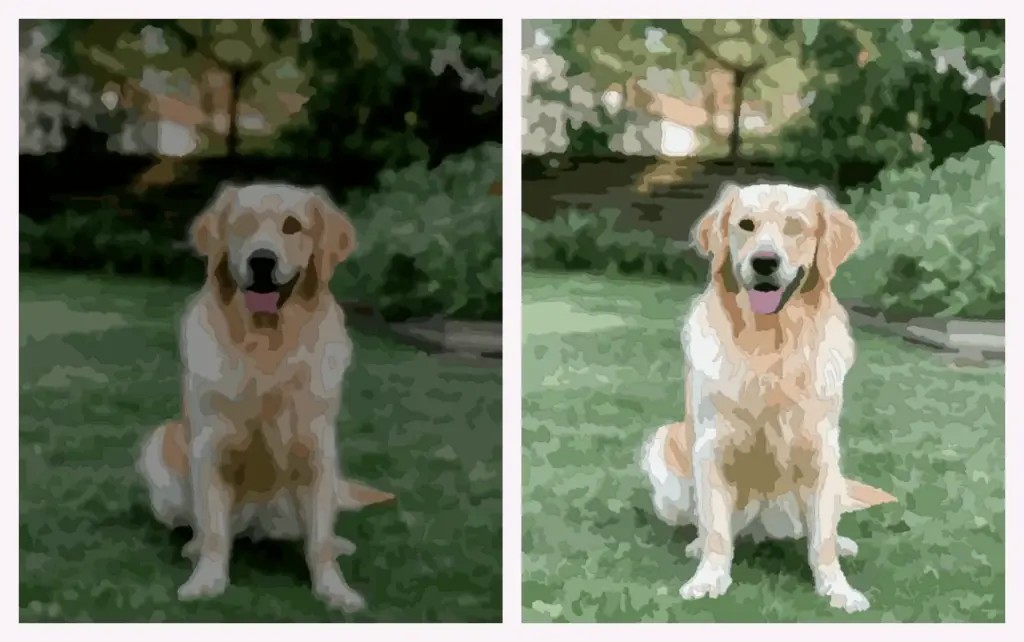
What Makes a Good Photo
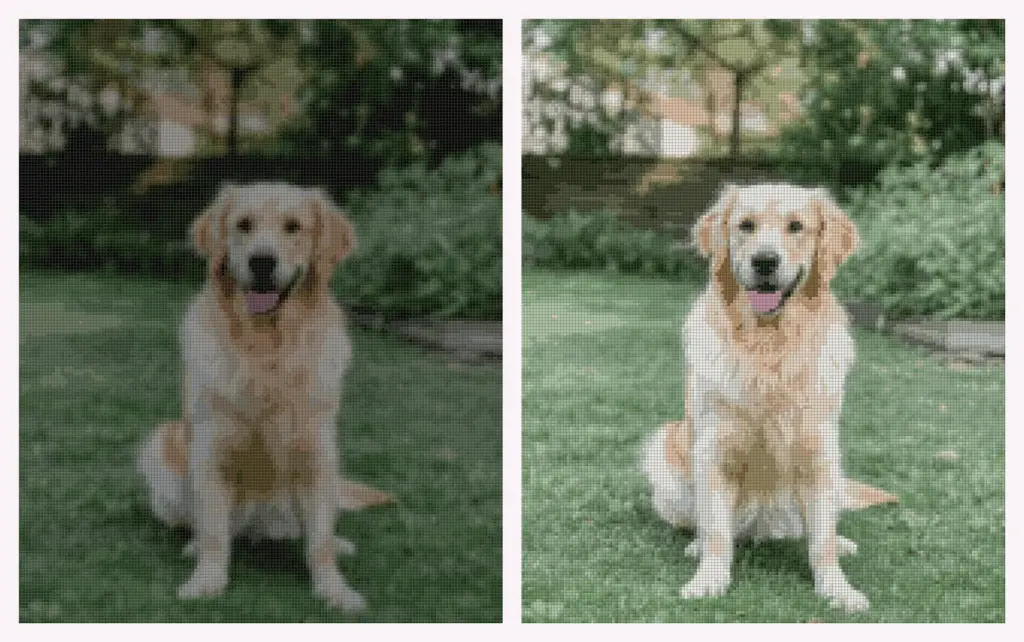
- Sharp focus. Eyes and edges should look crisp when you zoom in on your phone.
- Good, even light. Daylight near a window or outdoors in the shade works best. Avoid strong shadows across faces.
- A big subject. Faces and pets should fill most of the picture. Crop out empty space before you upload.
- A simple background. A busy background competes with the subject, especially with fewer colors.
- The original file. Use the photo from your gallery, not a screenshot or a copy forwarded through a messaging app.
Photos That Don’t Work Well
- Dark photos taken at night or indoors without light. Dark areas merge into one color.
- Blurry or moving subjects. A painting can’t bring back detail that the photo doesn’t have.
- Group photos where each face is tiny. Choose a bigger size or crop closer.
- Heavy filters and strong color effects, which can turn into odd color patches.
Match the Size to the Photo
One person or one pet looks great from 40 x 50 cm. Two or three people need more room, so 50 x 70 cm or larger keeps the faces clear. Our size guide explains it in more detail, and the preview shows how many drills or stitches each size uses.
Which Craft Suits Your Photo
- Diamond Painting: bright colors and sparkle. Great for pets, couples and colorful scenes. Square drills give a sharper, full-coverage finish; round drills are easier to place.
- Paint by Numbers: a painted, artistic look. 24 colors give a simpler style, while 48 colors keep more detail in faces.
- Cross Stitch: a soft, textile look. 16CT and 18CT fabrics show more detail but use more stitches.
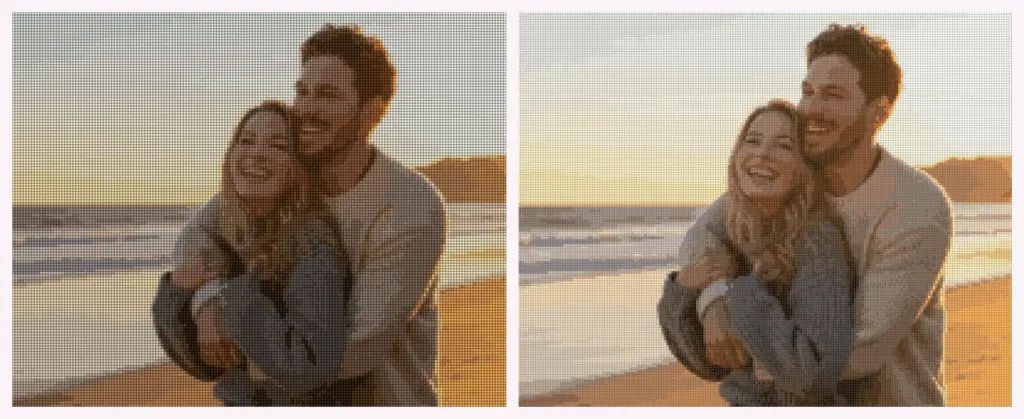
Let the Preview Check Your Photo
You don’t have to judge the photo alone. When you upload it to the photo preview, the Photo Check looks at the resolution for the size you picked, the light, the contrast and the focus, and tells you what to fix. The Adjust Your Photo box lets you crop closer so faces fill the canvas.
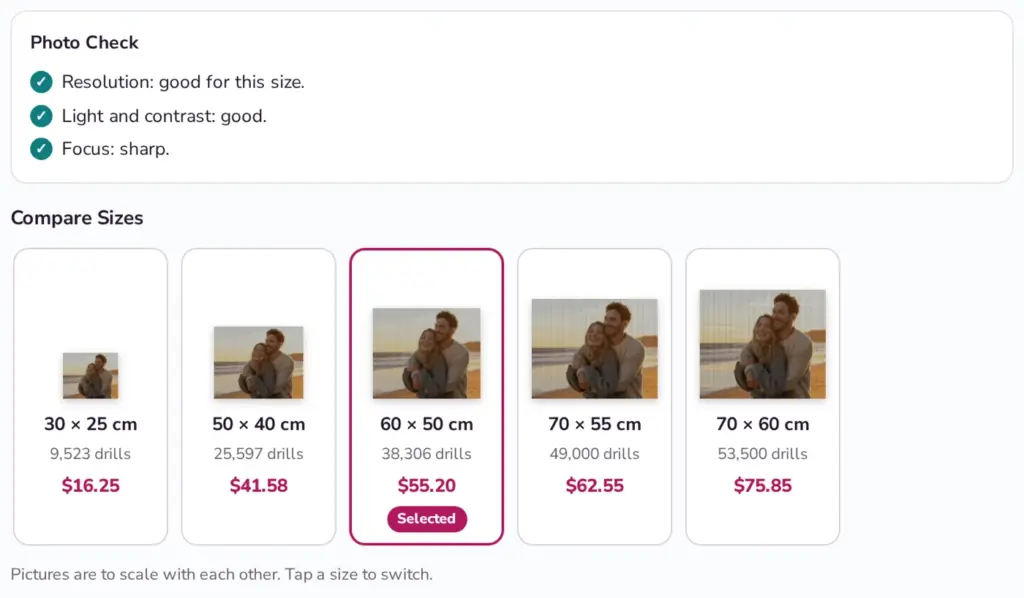
Try It Before You Order
Upload two or three photos to the photo preview and compare. It is free, takes seconds, and when you order, your photo is already attached to the kit. New to the tool? Read how to preview your photo.
Ordering a kit made from your own photo? See how to choose a custom photo diamond painting kit, a checklist of everything to decide before you order.
Turning a photo into cross stitch? See how to choose a custom photo cross stitch kit, a checklist of everything to decide before you order.